
If you’re wondering whether you can use AI to build an Android app without being a professional developer, the simple answer is: YES, you can.
But here’s the part most people never say out loud:
👉 AI can’t build a perfect app by itself…
but it can build 70–90% of your app faster, cleaner, and cheaper than traditional development.
I’ve personally built Android apps using AI tools like ChatGPT, Gemini, GitHub Copilot, Glide, and Bubble, and in this guide, I’ll show you exactly how you can do the same — even if you’re a complete beginner.
Let’s make it simple and practical.
What AI Can (and Cannot) Do When Building an Android App
AI is not magic software.
It’s a powerful assistant that makes you build apps much faster.
Let’s break it down clearly.
✅ 1. AI Can Generate Real Android App Code
You can literally type:
“Create a BMI Calculator Android app in Kotlin.”
And AI will produce:
- XML layout
- Kotlin activity code
- Buttons & logic
- Input fields
- Calculation functions
You paste it into Android Studio → press Run → it works.
This used to take beginners hours.
Now? Minutes.
✅ 2. AI Can Fix Errors Instantly
If you see an error like:
java.lang.NullPointerException
You copy it → send to AI → AI tells you:
- What caused it
- Where it happened
- How to fix it
- The exact corrected code
This alone saves HOURS of frustration.
✅ 3. AI Can Design Complete UI Layouts
You can say:
“Create a modern UI layout for a notes app with cards and rounded corners.”
AI generates:
- XML layout
- Colors
- Spacing
- Material Design components
This is incredibly helpful for beginners who struggle with UI.
✅ 4. AI Helps You Publish Your App
AI can write:
- App description
- SEO keywords
- Privacy policy
- Permissions explanation
- Screenshot ideas
Publishing becomes simple when you have a guide telling you each step.
✅ 5. AI Helps Non-Coders Build Apps (No Code Required)
These platforms let you build apps without writing code:
- Glide
- Bubble.io
- Kodular
- AppyPie
- Adalo
- MIT App Inventor
AI helps you design, organize data, and build features visually.
❌ What AI Cannot Do (Important Reality Check)
AI is powerful, but it’s NOT a replacement for real decision-making.
❌ AI Cannot Build a Perfect App Alone
You still need to:
- Test features
- Adjust layouts
- Improve performance
- Fix device-specific issues
- Check design quality
AI builds the foundation — you shape the final experience.
❌ AI Cannot Understand Your Users
Only you know:
- What problem your app solves
- Which features matter
- How the app should feel
- What users expect
AI can write code, but it doesn’t understand human behavior.
❌ AI Cannot Publish the App for You
You still need to handle:
- Google Play Console
- App signing
- AAB export
- Content rating
AI can guide you — but you must submit it.
How to Build Your First Android App With AI (Step-By-Step)
This is the same workflow I personally use.
Step 1: Choose a Simple App to Start
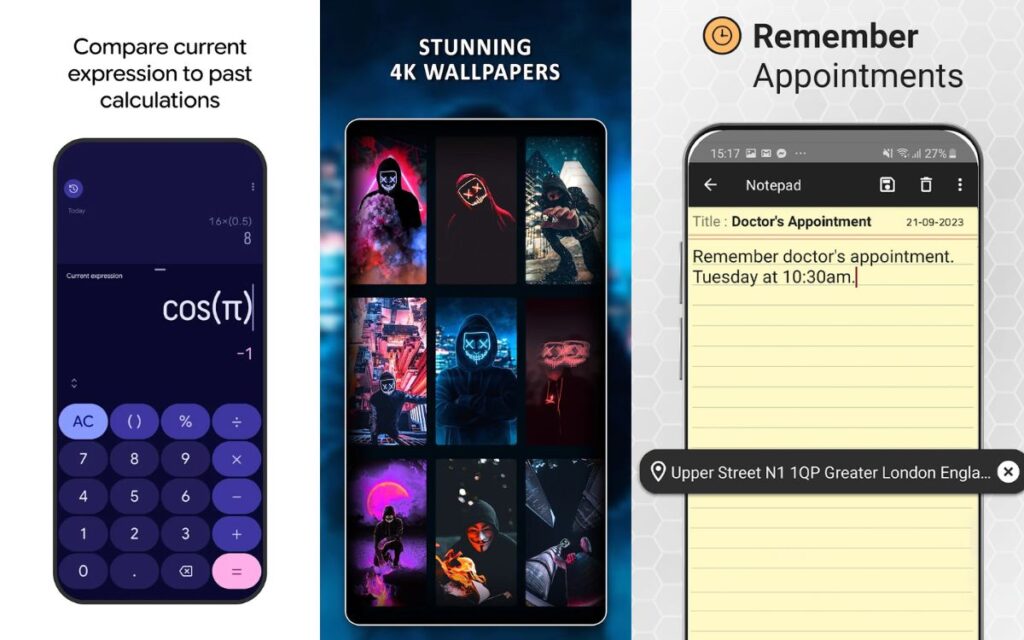
Start with small ideas like:
- Calculator
- Notes app
- Wallpapers app
- Expense tracker
- Travel checklist
- Daily motivation app
- Fitness tracker
Simple ideas = faster learning.
Step 2: Tell AI Exactly What You Want
AI works best with clear instructions.
Here’s a perfect beginner prompt:
“Create a simple To-Do List Android app in Kotlin using Android Studio.
Features:
– Add task
– Delete task
– Save tasks using Room database
– Clean UI using XML
– Light blue theme with rounded buttons.”
The more details → the better the output.
Step 3: Copy the Code Into Android Studio
AI will generate files like:
- MainActivity.kt
- activity_main.xml
- colors.xml
- themes.xml
Paste → Build → Run.
If anything crashes?
Copy the error → send to AI → it fixes it.
This is how 95% of beginners make their first working app.
Step 4: Improve Your UI Using AI
You can say:
“Modernize this layout using Material Design 3.”
AI will update:
- Colors
- Padding
- Typography
- Button styling
- Card layouts
Your app instantly looks more professional.
Step 5: Test Your App on a Real Device
Check:
- Layout breaking
- Button responsiveness
- Performance
- Crashes
- User flow
This is the part no AI can do for you.
Step 6: Ask AI to Create Your Branding
AI can help you with:
- App icon concepts
- Color combinations
- Screenshot templates
- App description
- Taglines
- Play Store SEO
Branding becomes fast and painless.
Step 7: Publish the App to the Play Store
AI guides you through:
- Exporting an AAB
- Signing your app
- Creating a privacy policy
- Writing a store listing
- Filling content ratings
Publishing is easier than you think.
Best AI Tools for Building Android Apps
These are the tools I personally recommend based on real usage.
1. ChatGPT (Coding Partner)
Best for:
- Writing Android code
- Fixing bugs
- Improving UI
- Explaining errors
- Adding features
2. Gemini / GitHub Copilot (Smart Code Assistant)
Works inside your IDE and gives suggestions as you code.
3. No-Code AI Builders
Perfect for beginners:
- Glide
- Adalo
- Kodular
- Bubble.io
- MIT App Inventor
You can build full apps without touching code.
4. AI Design Tools
For UI/UX:
- Figma AI
- Uizard
- Canva AI
These tools generate screens, icons, and layout concepts.
Beginner-Friendly Apps You Can Build With AI
Great for learning + easy to publish:
⭐ Quotes App
⭐ News App
⭐ Wallpaper App
⭐ Notes App
⭐ Habit Tracker
⭐ Expense Manager
⭐ Fitness Workout List
⭐ Diet Planner
⭐ BMI Calculator
⭐ Translator App
⭐ Travel Checklist
These are simple, fast to build, and perfect for AdMob monetization.
Does AI Replace Android Developers?
No — and it won’t anytime soon.
Here’s the truth:
AI = Your assistant
You = The driver
AI makes you 5× faster, but you make the final product polished and usable.
Together?
You’re unstoppable.
Final Verdict: Can You Use AI to Build an Android App?
✔ YES — beginners can build apps with AI, even without coding experience.
✔ YES — AI can write code, design UI, create icons, and help with publishing.
✔ YES — AI reduces development time from weeks to hours.
But remember:
👉 AI helps you build the app
👉 YOU decide the idea, quality, design, features, and final improvements
That combination is what creates successful apps today.