Skip to content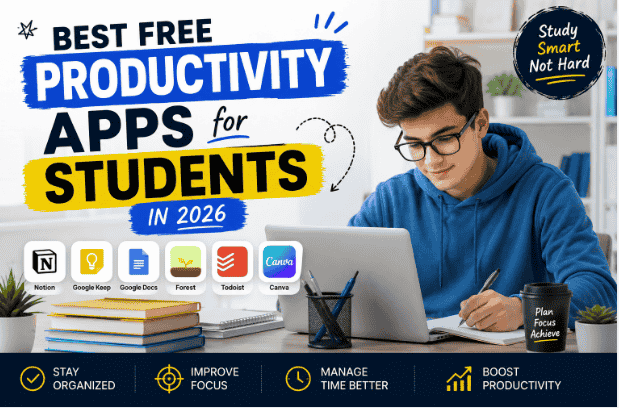
I used to think I had a “time management problem.”
But honestly, most of the time I just had a disorganized student life.
Assignments were scattered everywhere.
Deadlines stayed inside my head until I forgot them.
Notes were saved across random apps, screenshots, and sometimes even WhatsApp chats.
I remember one week where I completely forgot about a class assignment simply because I wrote the due date on a paper that disappeared somewhere under my desk.
That’s when I realized something:
being productive as a student is less about working harder and more about staying organized consistently.
Over time, I started testing different productivity apps to make studying less stressful. Some were honestly overcomplicated and felt designed for corporate offices instead of students.
But a few apps genuinely made everyday student life easier.
Not magically easier.
Just… less chaotic.
So instead of giving you a giant list of random apps nobody actually uses, I’ll share the free productivity apps that students realistically find useful and how they help in real life.
1. Notion – The App That Helped Me Organize Everything
I avoided Notion for a long time because it looked complicated.
Then one day I finally tried it properly, and honestly, I understood why students love it.
Notion can organize:
- assignments
- study schedules
- notes
- task lists
- goals
- project planning
At first, I only used it as a simple to-do list.
Eventually, I started creating:
- weekly study planners
- content calendars
- class note sections
The biggest advantage is flexibility.
You can keep things extremely simple or customize everything if you enjoy organization systems.
One Mistake I Made
I spent too much time watching “perfect Notion setup” videos instead of actually studying.
Simple setups usually work better for students.
2. Google Keep – Surprisingly Useful for Quick Notes
I originally ignored Google Keep because it looked too basic.
Now I use it almost daily.
It’s perfect for:
- quick reminders
- small ideas
- checklist tasks
- saving links
- lecture notes
The best part is speed.
Sometimes opening complicated productivity apps feels annoying when you just need to save one quick thought.
Google Keep solves that problem.
3. Google Docs – Still One of the Best Student Tools
I honestly don’t know how students survived before cloud storage became normal.
Before using Google Docs, I lost assignments multiple times because files stayed on one device only.
Google Docs made things much easier because:
- files save automatically
- everything syncs online
- sharing becomes simple
- group work feels smoother
I use it for:
- assignments
- article writing
- notes
- project drafts
Automatic saving alone has probably saved me dozens of times.
4. Forest – Helpful for Phone Distraction Problems
This app surprised me more than expected.
Forest basically helps students stay focused by turning study sessions into a small game.
You plant a virtual tree while studying.
If you leave the app to scroll social media, the tree dies.
Sounds simple.
But weirdly, it actually works.
I noticed I stopped checking my phone constantly during study sessions.
One Lesson I Learned
The app helps, but discipline still matters.
No productivity app can completely fix bad habits automatically.
5. Grammarly – Useful Beyond Just Grammar
Many students think Grammarly only fixes spelling mistakes.
It also helps improve:
- sentence clarity
- punctuation
- readability
- writing confidence
I mostly use it for:
- assignments
- emails
- blog posts
- reports
One thing I like is that it catches small mistakes quickly while typing.
But I also learned not to accept every suggestion blindly because sometimes natural writing sounds better.
6. Canva – More Useful for Students Than I Expected
I originally thought Canva was mainly for designers.
Turns out students use it for:
- presentations
- resumes
- project covers
- posters
- infographics
- study planners
One time I had to create a presentation quickly, and Canva templates honestly saved me.
The final result looked much more professional than my old PowerPoint slides.
Even the free version gives students plenty of useful tools.
7. Todoist – Simple Task Management That Actually Feels Clean
Some productivity apps become overwhelming very quickly.
Todoist stays simple.
Students can use it for:
- assignment tracking
- reminders
- daily task lists
- study goals
I personally like apps that reduce mental clutter instead of creating more of it.
Todoist feels clean and easy to manage.
8. Quizlet – Makes Revision Less Boring
I used to reread notes repeatedly before exams and honestly forgot most of the information anyway.
Quizlet made revision more interactive.
Students can create:
- flashcards
- quizzes
- practice tests
This works especially well for:
- definitions
- vocabulary
- memorization-heavy subjects
It feels more engaging than staring at static notes for hours.
9. Microsoft OneNote – Great for Organized Notes
Some students prefer handwritten-style digital notes.
Microsoft OneNote works really well for that.
You can organize:
- subjects
- chapters
- class notes
- diagrams
I’ve seen students use OneNote almost like a digital notebook replacement.
Especially on tablets, it becomes extremely useful.
10. ChatGPT – Surprisingly Helpful for Studying Smarter
I know many students already use ChatGPT now, but most people still don’t use it effectively.
It can help with:
- explaining difficult topics
- brainstorming ideas
- simplifying concepts
- improving writing structure
- creating study summaries
The important thing is using it as a learning assistant instead of copying everything blindly.
That difference matters a lot.
Productivity Mistakes Students Commonly Make
1. Downloading Too Many Apps
I made this mistake myself.
At one point, I had:
- multiple note apps
- several task managers
- too many productivity tools
Eventually, everything became more confusing.
A smaller system usually works better.
2. Focusing More on Organization Than Actual Studying
This happens surprisingly often.
Students spend hours:
- customizing planners
- changing templates
- watching productivity videos
instead of studying.
Productivity tools should support work, not replace it.
3. Expecting Apps to Fix Everything
Apps help organization.
They do not automatically create discipline.
Real improvement still depends on:
- consistency
- habits
- focus
A Simple Productivity Setup That Works for Me
This is honestly the setup I use most often now.
Step 1 – Quick Notes
I use:
- Google Keep
Step 2 – Main Writing and Assignments
I use:
- Google Docs
Step 3 – Planning and Organization
I use:
- Notion or Todoist
Step 4 – Focus Sessions
I use:
- Forest
Step 5 – Writing Improvement
I use:
- Grammarly
Simple systems usually last longer because they’re easier to maintain daily.
Are Free Productivity Apps Enough for Students?
Honestly, yes.
Most students do not need expensive subscriptions initially.
Free apps today are already powerful enough for:
- organization
- note-taking
- assignments
- planning
- revision
- collaboration
The real challenge is using them consistently instead of constantly switching tools.
Final Thoughts
The biggest productivity improvement I noticed as a student did not come from studying longer hours.
It came from reducing unnecessary chaos.
Once assignments, notes, reminders, and schedules became more organized, studying felt much less stressful.
The apps above are not magical shortcuts.
But they genuinely make student life smoother when used properly.
And honestly, even small improvements in organization can save students a surprising amount of time and mental energy over the long term.
FAQs
Which productivity app is best for students?
It depends on personal needs, but apps like Notion, Google Docs, and Todoist are popular because they help students stay organized easily.
Are free productivity apps enough for students?
Yes, most free productivity apps already provide enough features for note-taking, planning, assignments, and study organization.
Which app helps students focus while studying?
Forest is a popular focus app that helps students avoid phone distractions during study sessions.
Is Notion good for beginners?
Yes, beginners can use Notion for simple task management and notes without creating complicated setups.
Can productivity apps improve study performance?
They can help students stay organized and manage time better, but consistent study habits still matter the most.
Hi, I’m the creator of Trend Verse — a digital platform focused on technology, AI tools, blogging, SEO, WordPress, and online earning. My goal is to share simple, practical, and beginner-friendly guides that help people learn digital skills, grow online, and stay updated with the latest tech trends.